
Mark who came to class, and record payment from anyone who pays on the day.
1. Open the register
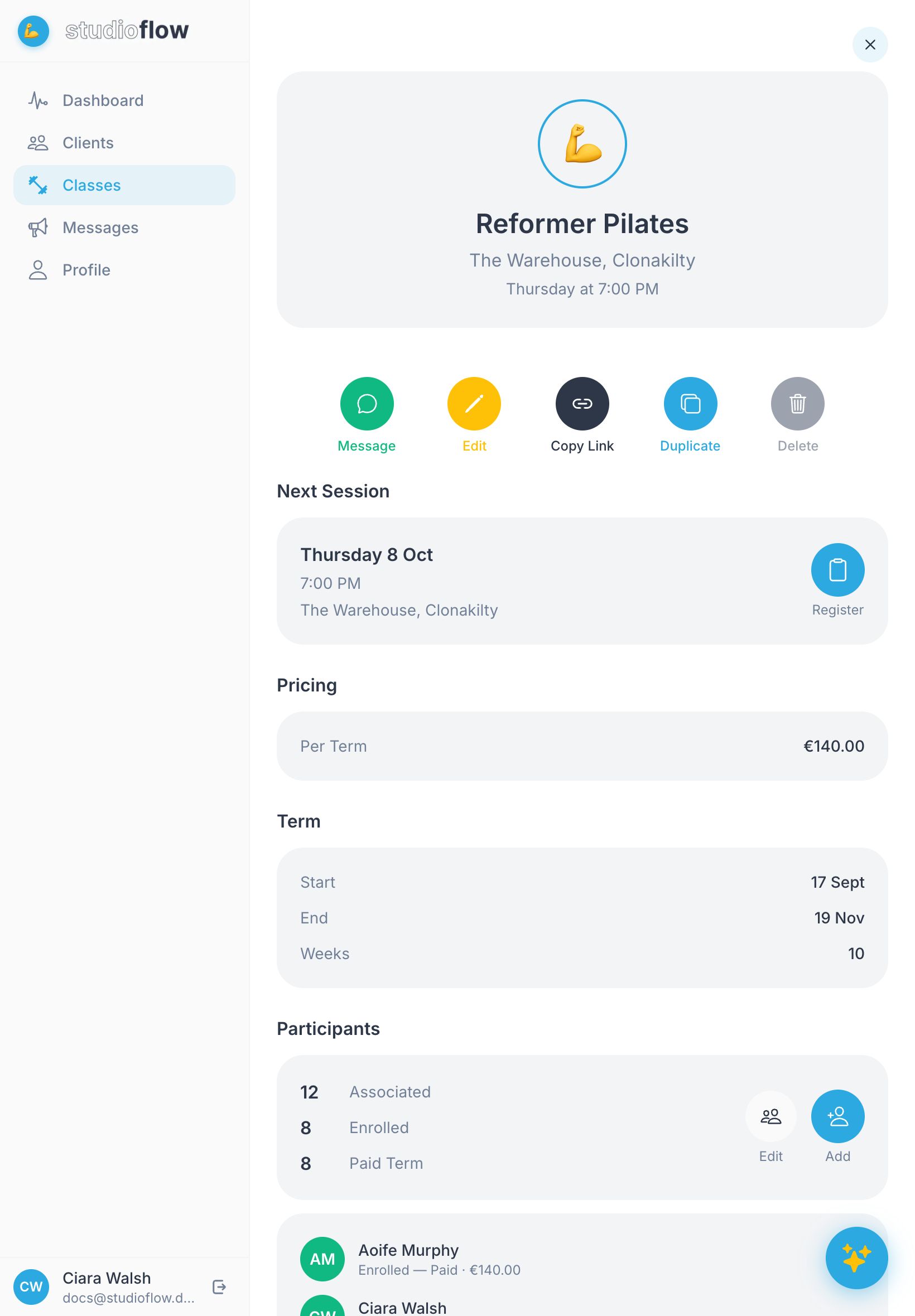
Open Classes and tap the class. Under Next Session, tap Register.
2. See who's expected
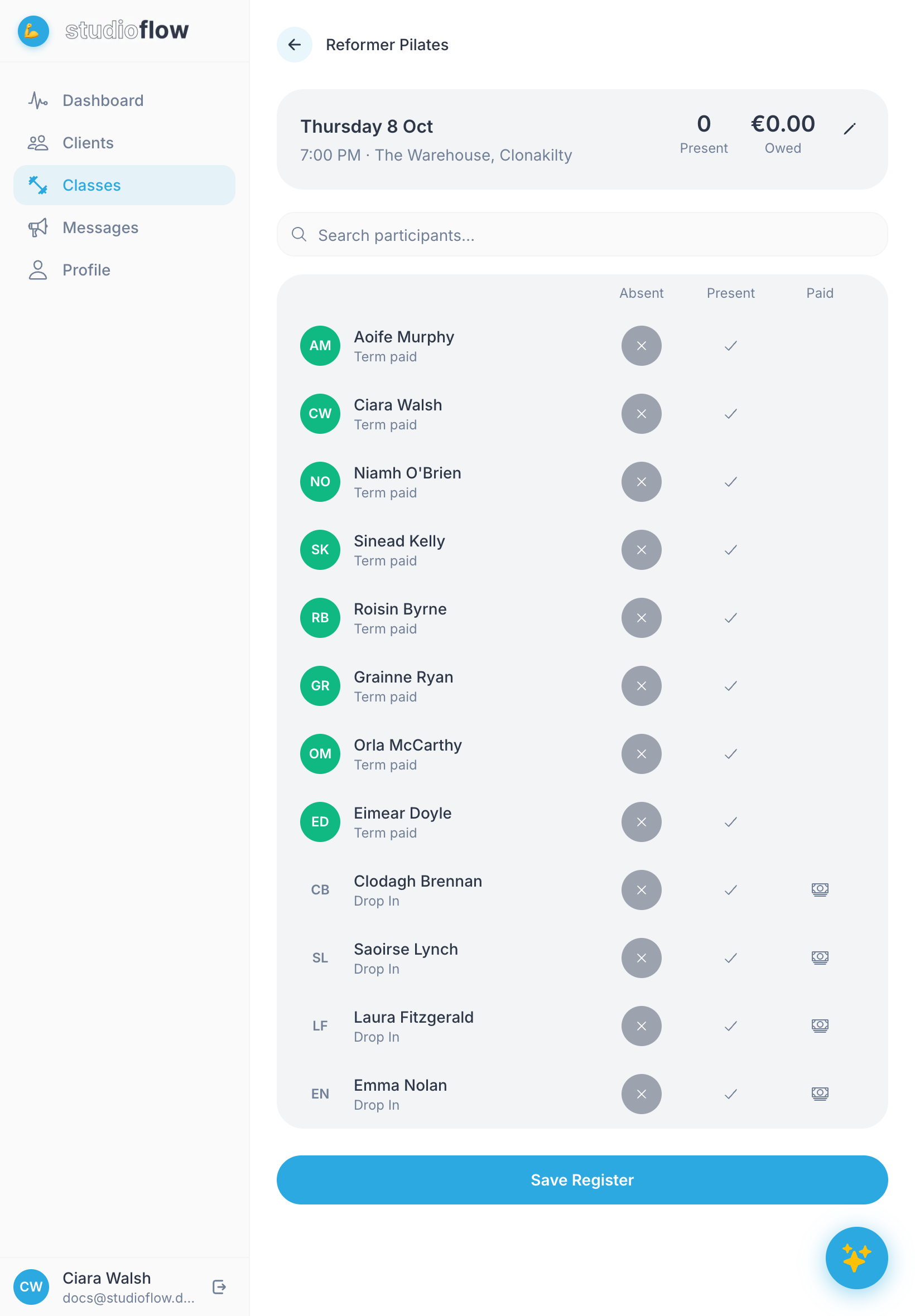
The register lists everyone in the class and whether they've paid for the term or are dropping in. Everyone starts as absent. Use the search box to find someone quickly.
3. Mark people present
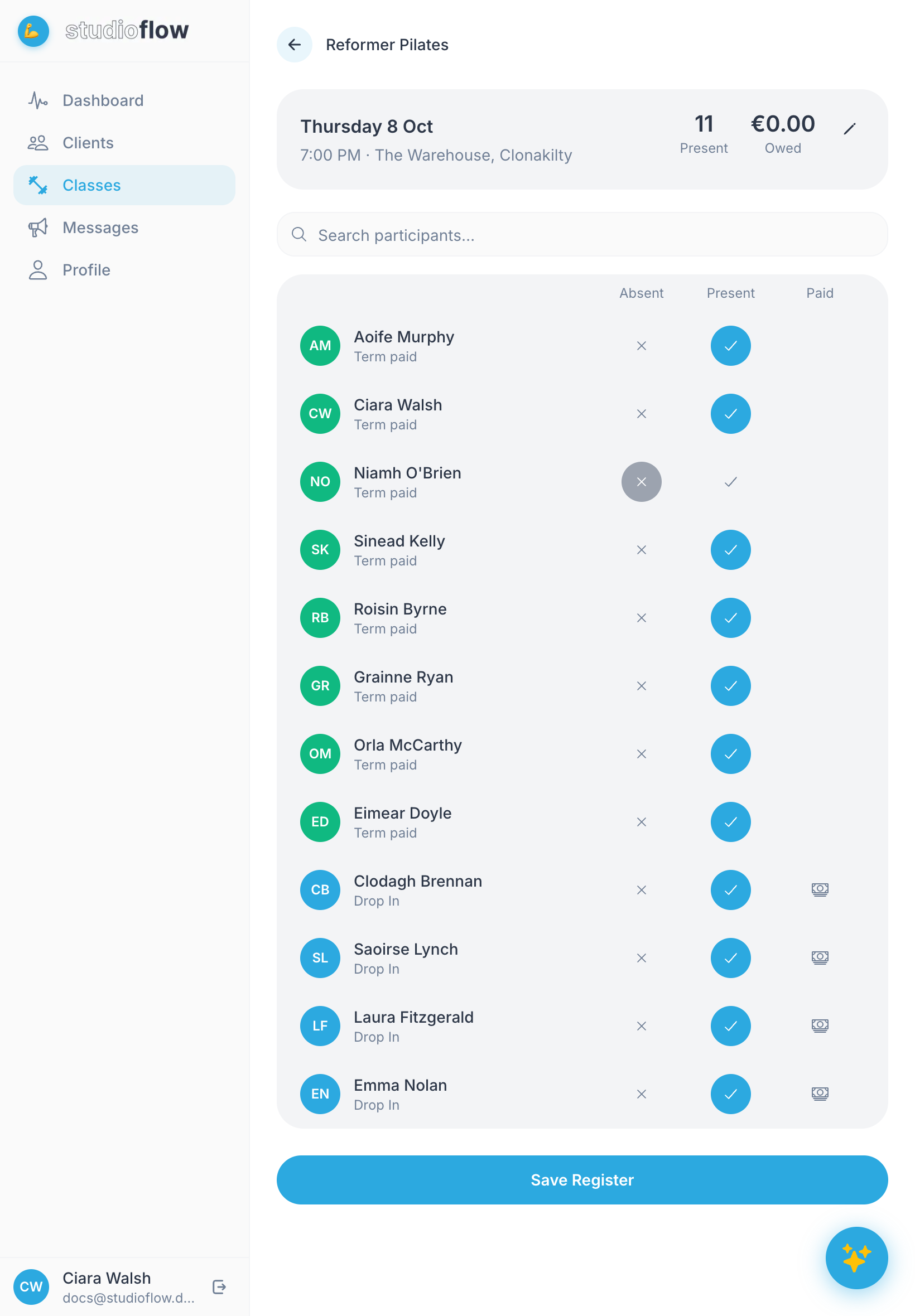
Tap the tick in the Present column for each person who came. The count at the top updates as you go.
For people dropping in, the Paid column shows a cash button. Tap it when they pay you on the day. The Owed total at the top shows what's still to collect.
4. Save the register
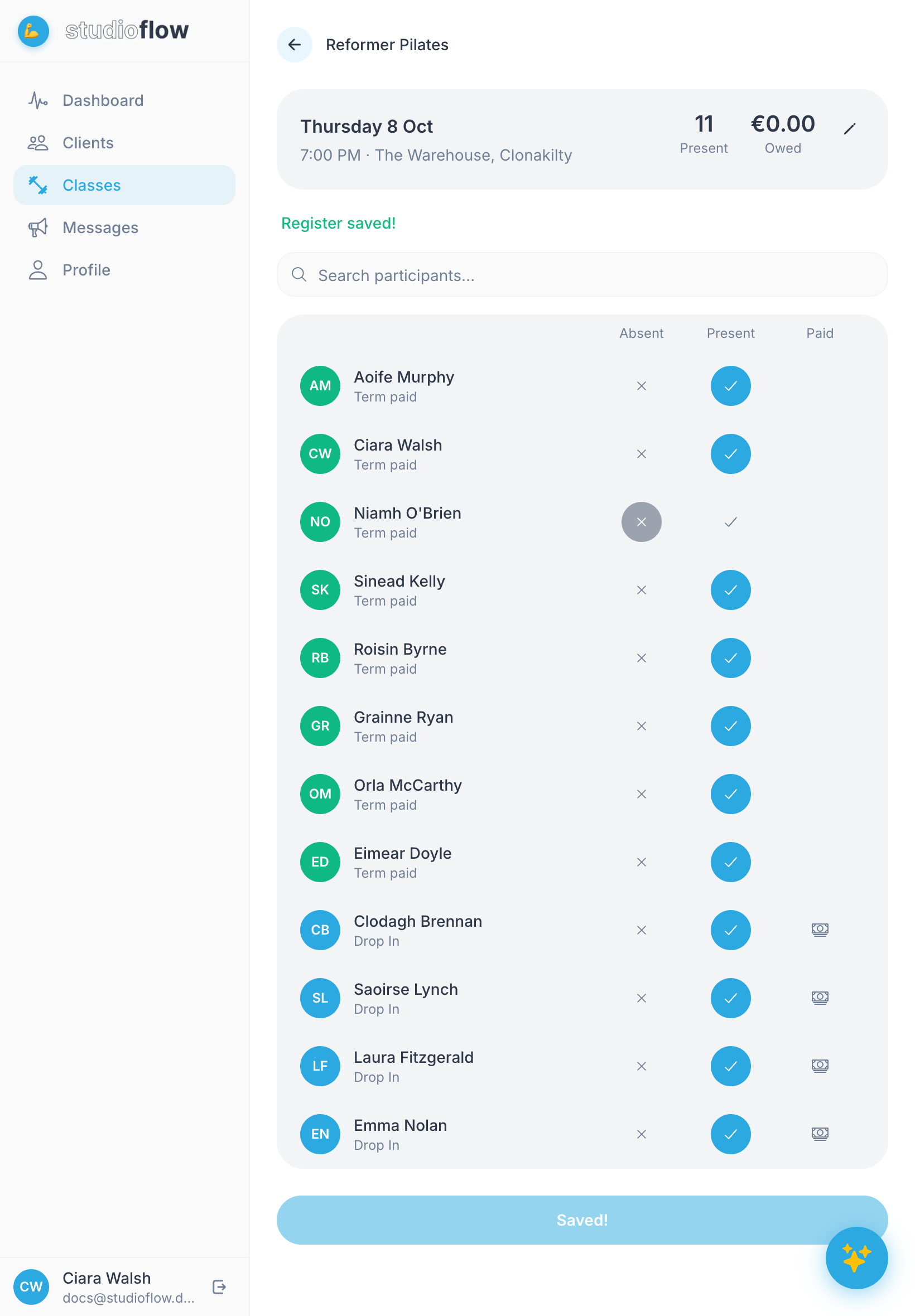
Tap Save Register. You'll see "Register saved!" at the top.
You can open the register again to fix a mistake. Past sessions are listed on the class page, so you can update their attendance too.