
Add clients from your client list to a class, and record whether they've paid for the term.
1. Open the class
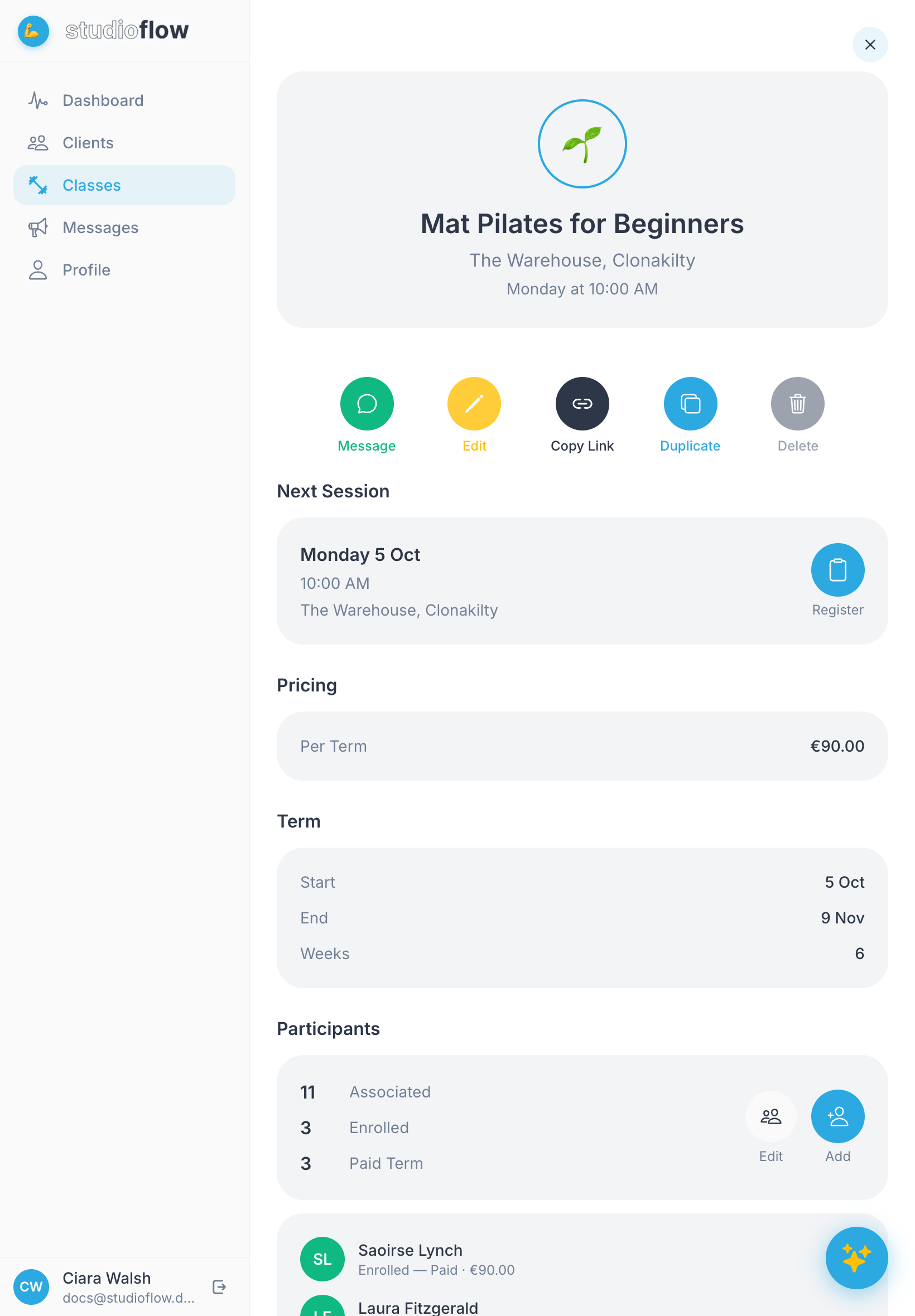
Open Classes and tap the class you want. Scroll down to Participants, where you'll see how many people are associated with the class, how many are enrolled and how many have paid for the term.
2. Tap Add
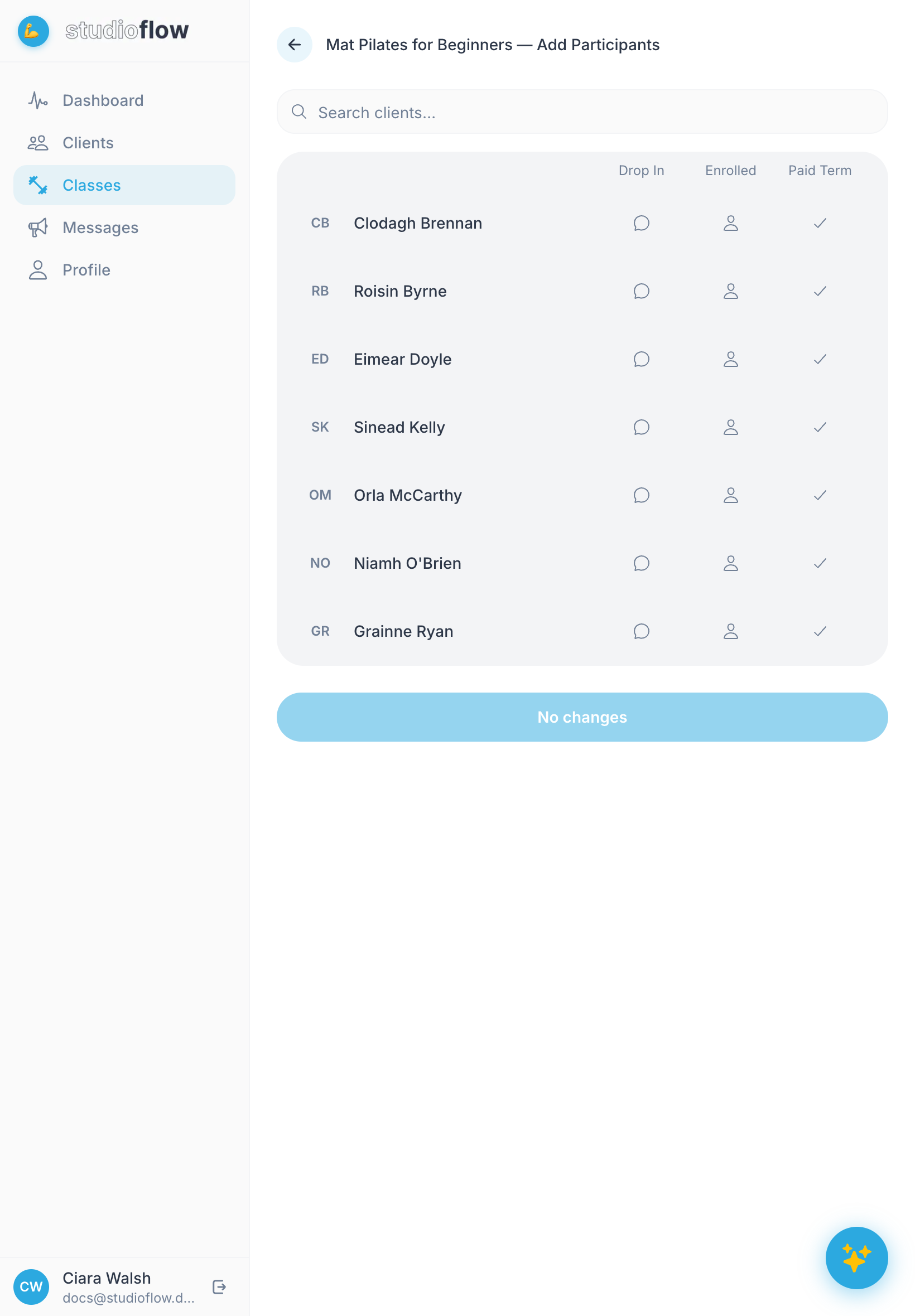
In the Participants section, tap Add. You'll see every client who isn't in this class yet. Use the search box to find someone quickly.
3. Choose how each person is joining
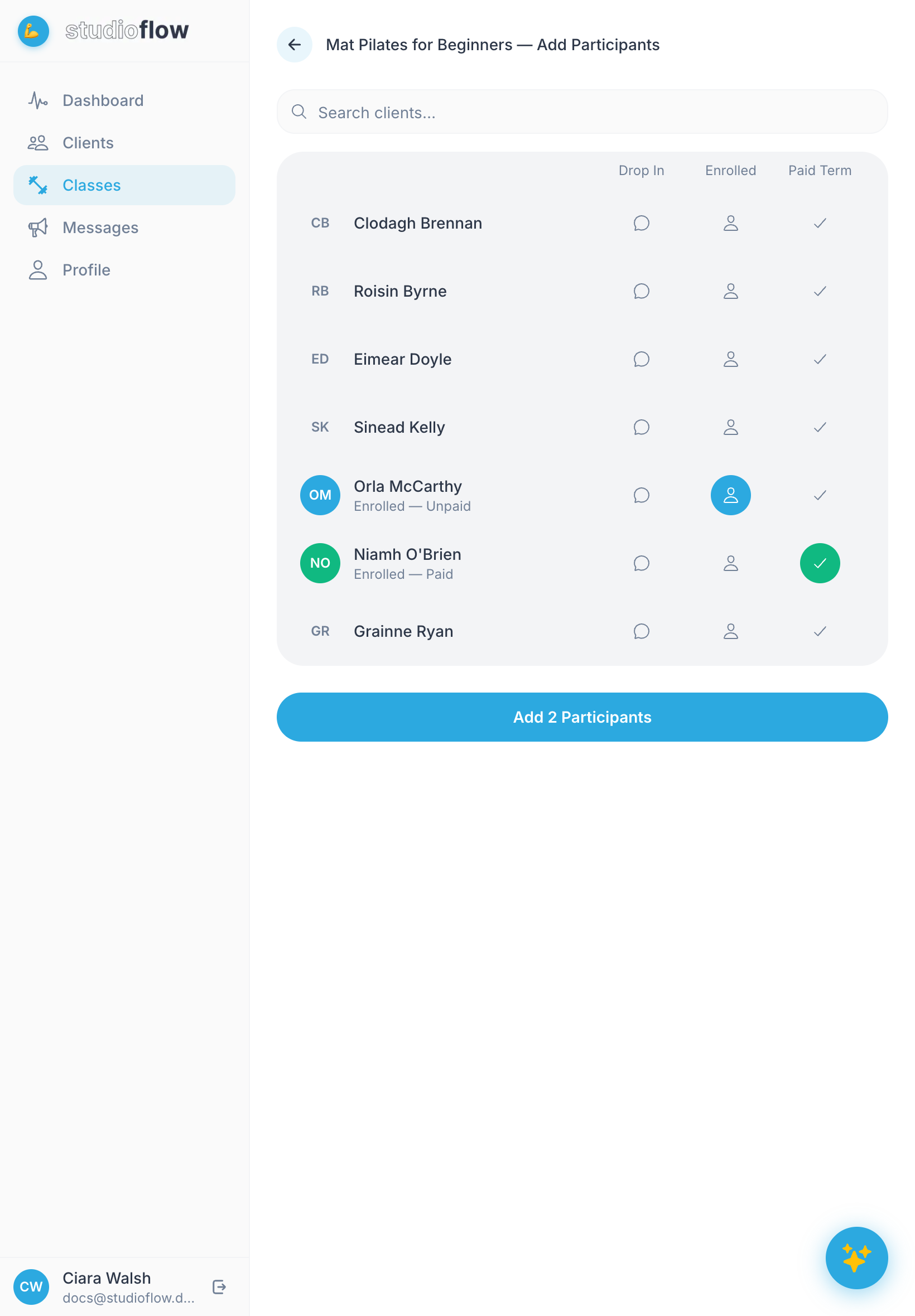
For each client you want to add, tap one of the three options:
- Drop In: they come now and then and pay per class. They'll also get messages about this class.
- Enrolled: they're signed up for the term but haven't paid yet.
- Paid Term: they're signed up and have paid for the term.
4. Save
Tap Add 2 Participants (the button counts how many people you've chosen). The class page updates with the new numbers.
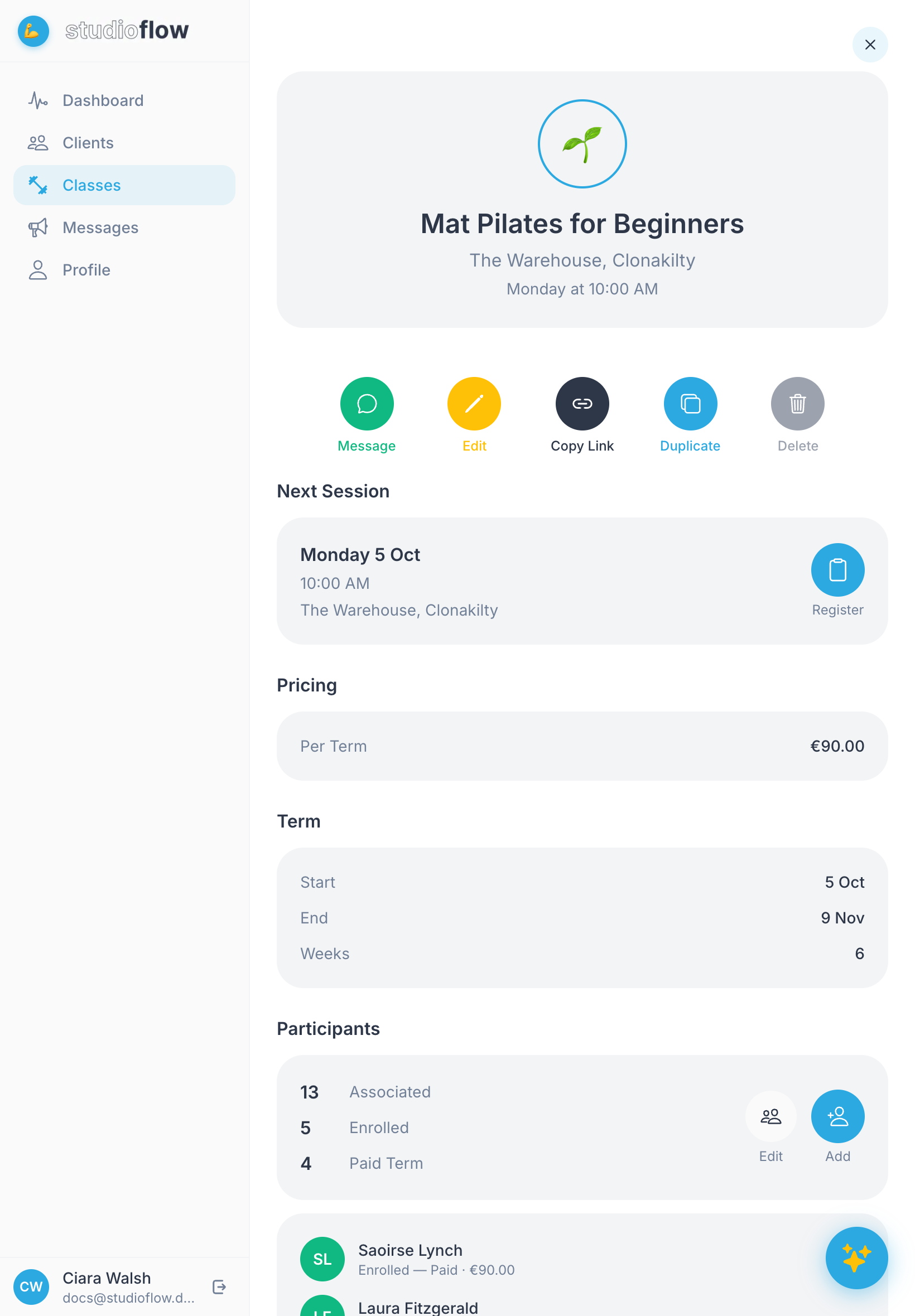
To change someone's status later (for example when they pay), tap Edit in the Participants section.
Next steps
- Take attendance on the day of the class